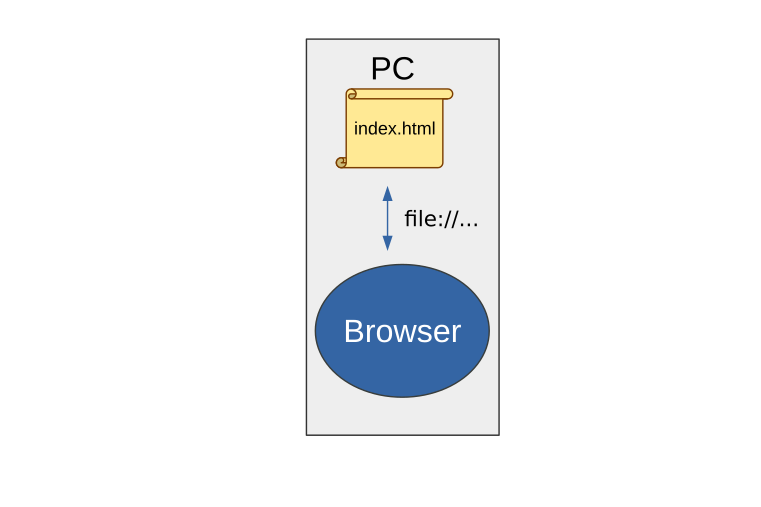
So far, you have learned to write pages in HTML and CSS, which are formatting
languages:
Notice the file:// prefix, which means you are accessing a file that simply sits
on the computer's hard drive. In this case, we are writing web pages, but they are
not visible on the network.
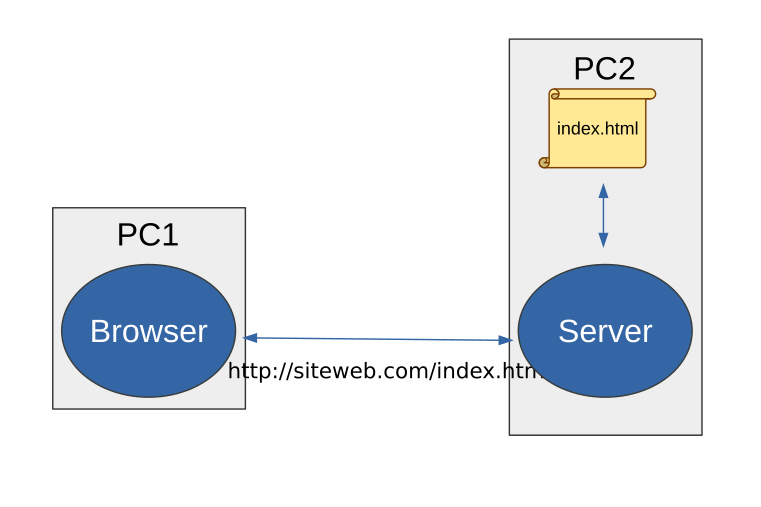
When you load a page from the internet, you connect to another, remote computer (a server)
that answers your requests through a protocol named http:
The HTTP protocol allows the server to deliver files to the clients that request them. However,
hosting static files on the network so that other machines can reach them is not really what
we will focus on in this course.
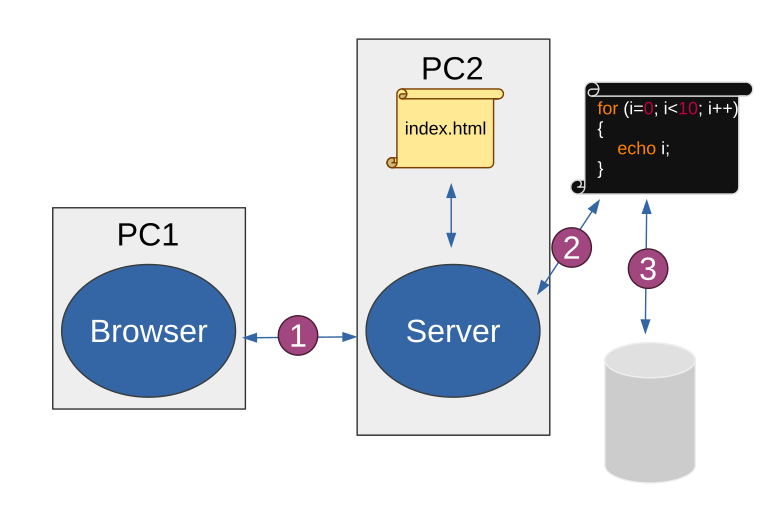
First, the HTTP protocol itself (1) does not only carry the address of the file you want
to download, but also parameters, coming for instance from a form.
Also, a web (and thus HTTP) server does not only deliver static files (like our index.html
here): it can also run code while it handles a request (2), and thus generate its response
on the fly, based for example on the content of a database (3).
Protocol
HTTP is a text-based application protocol built on top of TCP/IP, and used
by browsers to communicate with web servers.
As we will see, its basic structure is quite simple
The client connects to a port (80 by default) through TCP/IP, and sends
requests, to which the server returns responses.
Request
Here is a simple example of a request:
GET / HTTP/1.1
Host: perdu.com
User-Agent: Mozilla Firefox
(empty line)
Here:
GET is the HTTP method used
/ is the resource requested from the server
HTTP/1.1 is the version of the protocol used
Host: and User-Agent: are request headers
An empty line marks the end of the request
Response
And an example of a response:
HTTP/1.1 200 OK
Date: Thu, 02 Aug 2018 10:05:42 GMT
Server: Apache
Content-Type: text/html

<h1>Are you lost?</h1>
Here:
HTTP/1.1 is the protocol version
200 is the status code (here "OK")
Date:, Server: and Content-Type: are response headers
An empty line separates the headers from the body, just below
Status codes
Status codes indicate the status of the request:
200: OK, everything went well
302: the resource has moved to another address
404: resource not found
403: access forbidden
500: server error
...
Headers
Request and response headers share the same format:
Key: Value
Where Key is the name of the header and Value its value. Headers can play many
roles, such as controlling the cache, redirecting the client's browser, etc.
Passing parameters
The two classic methods for passing parameters in HTTP are the
GET and POST methods.
GET method
The GET method passes parameters in the resource name, after the ? delimiter:
http://website.com/products/show?id=123
Here, the id parameter has the value 123.
You can pass several parameters using the & delimiter:
And submit it, you will land on a page whose address is /products/compare?id1=X&id2=Y, where X is the value entered in the id1 field and Y the value entered in the id2 field.
POST method
The POST method is another way to pass parameters:
<form action="/hello" method="post">
    What is your name?
    <input type="text" name="name"/>
    <input type="submit" />
</form>
Here, the HTTP POST method will be used
On the HTTP side, the request will look like this:
POST /hello HTTP/1.1
Host: website.com
Content-Type: application/x-www-form-urlencoded
Content-Length: 8

name=Bob
Here:
POST is the method (unlike GET in the previous examples)
Content-Type is used to indicate that the request body contains form data
Content-Length gives the length of the body
The request body is not empty as before, but contains the POST parameter(s)
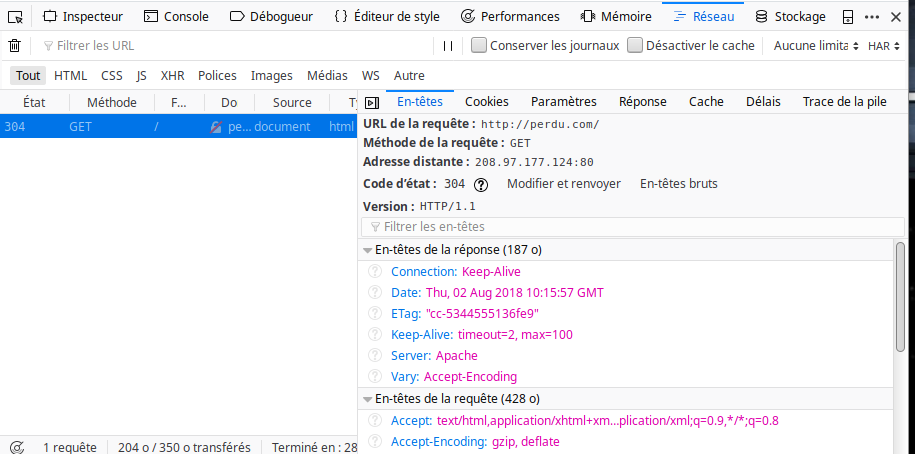
In your browser
You can open the developer console to watch the requests go by, along with
information at the HTTP level.