Symfony Lab 3: database
Connecting to the database
Configuration
We will now import the shows database. To do so, create a new
Symfony project, import the database and configure your
.env file.
symfony new --webapp showsImporting the entities
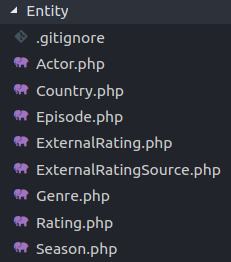
Generating accessors
Run the command:
symfony console make:entity --regenerateto automatically generate all the accessors on the entity classes, whose properties have restricted visibility.
Class controller
We will now generate a class controller, based on the Series entity. To do so,
use the command:
symfony console make:crudLook at the generated code (src/Controller/SeriesController.php as well as templates/series/*)
Modifications
Limiting the number of results
Modify the index() action of SeriesController to limit the number of results. You can
use the findBy function.
Removing unnecessary methods
Modify the code to remove the unnecessary methods (here, we don't want to delete, edit or add a series, for example).
Poster
Add the poster of a series to its page (when clicking on "show").
- You can create a route such as
/series/poster/{id}, which will actually be the poster of the series - The object you get with
getPoster()is astream, you will have to call stream_get_contents() to read it - In Symfony, you can return a manually built instance of
Response.
List of seasons
Display the list of seasons of a series on its page ("show"), sorted by number.